Product
From discovery to a signed scope
Survey, scope, price, approve and change every services deal in one Services CPQ.
Sheet 01 / Surveys
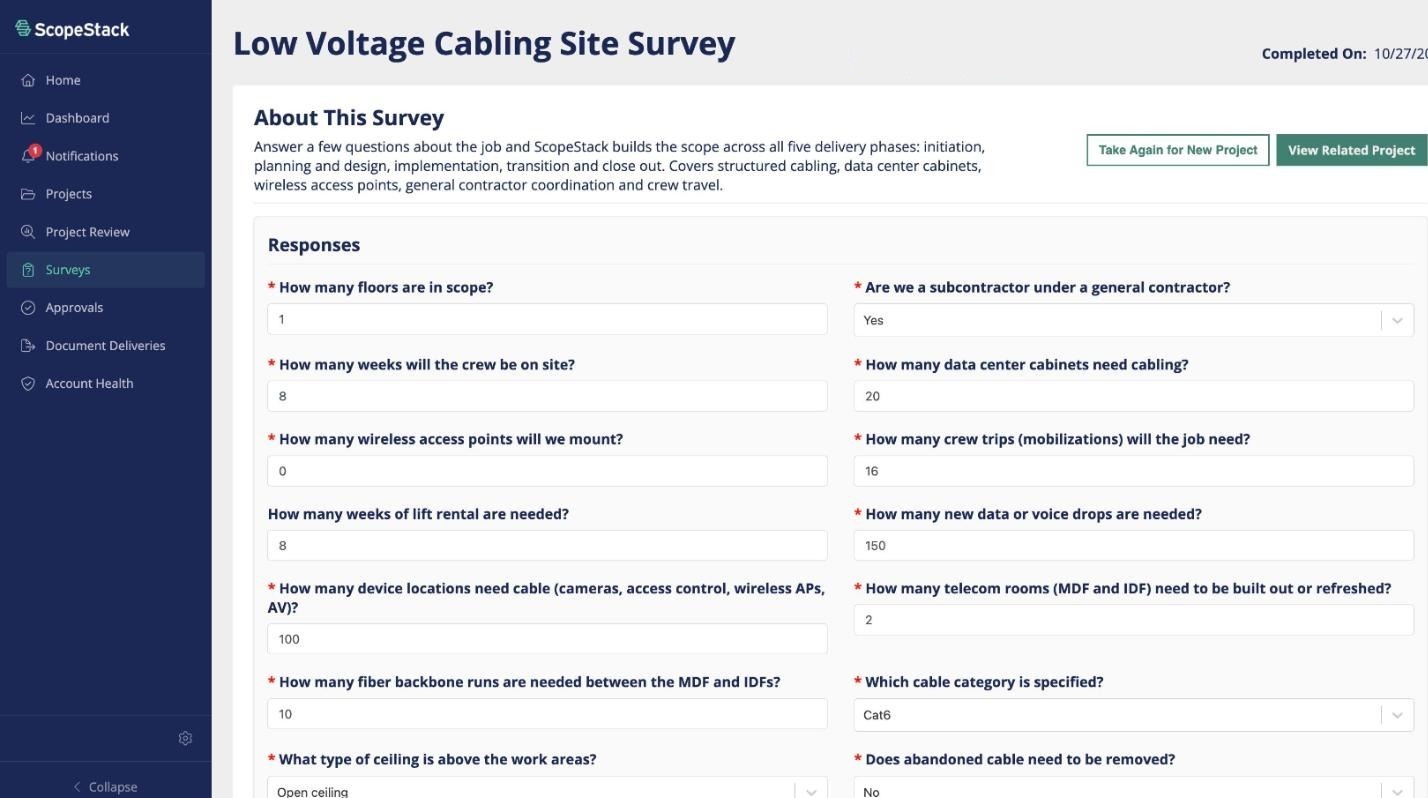
Discovery surveys
Answer a few questions about the job. ScopeStack builds the scope from the answers.
Sheet 02 / AI executive summary
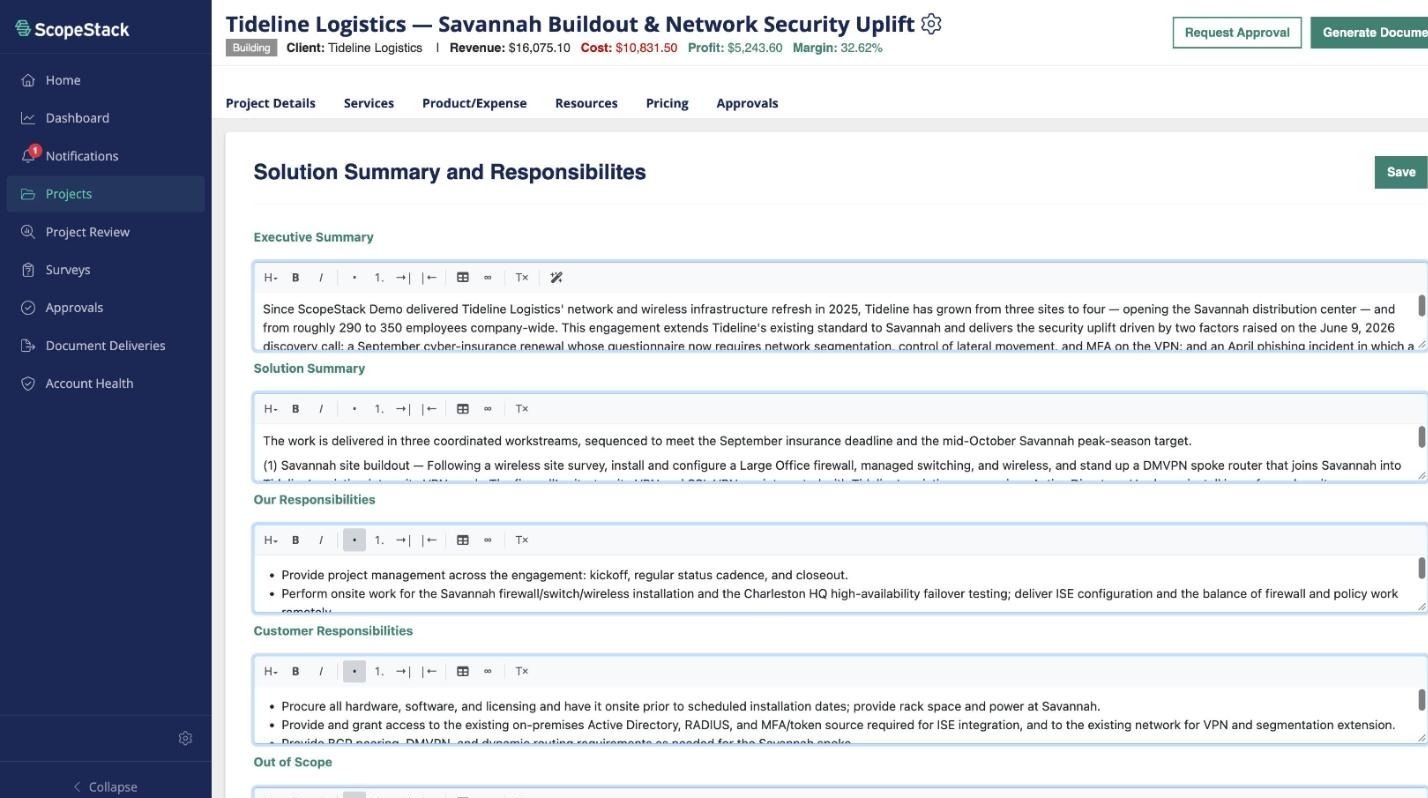
AI executive summary
Generate the executive summary from the project details, then edit it in place.
Sheet 03 / Services
Services and subservices
Phases, services and subservices, each with its own hours and resource, priced as you build.
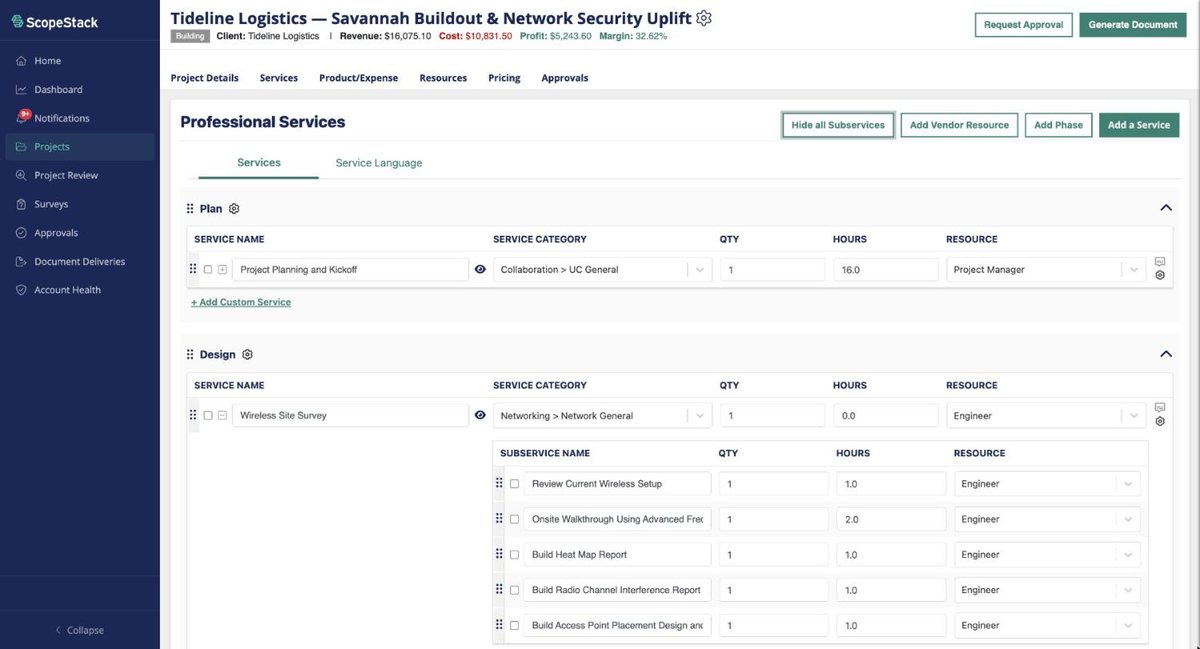
01 / Phases
Plan, Design, Implement. Every service sits in a phase.
02 / Subservices
Work broken down to the task, each with its own hours and resource.
03 / Margin
Revenue, cost, profit and margin on every project.
Sheet 04 / Third party services
Third party services
Vendor quotes come in at cost with a target margin, and sit beside your own services in one price.
Sheet 05 / Governance
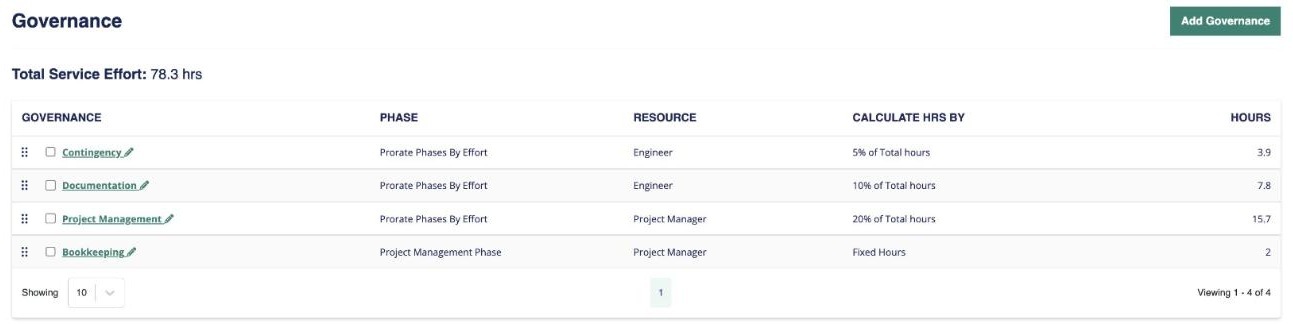
Governance
Project management, documentation and contingency are calculated from total effort, so they scale with the scope.
Sheet 06 / Pricing
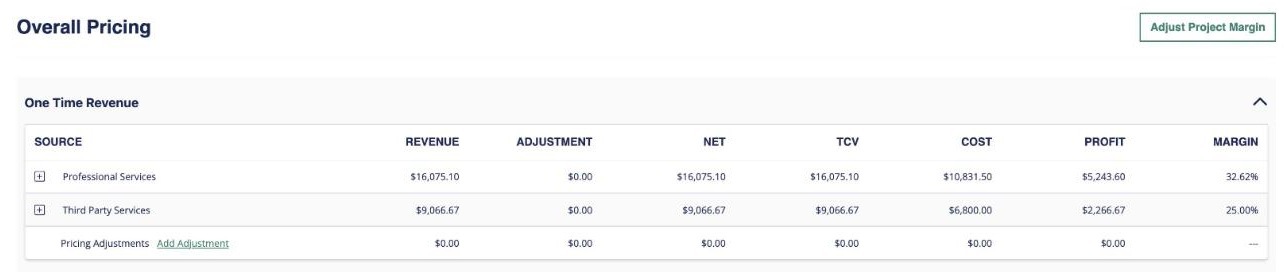
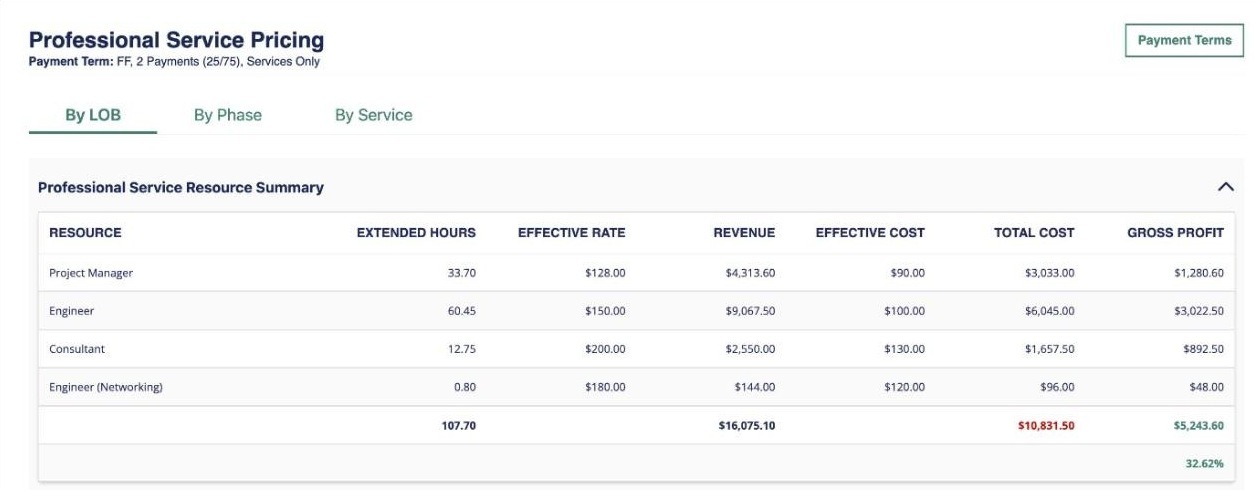
Pricing
Hours, rates and cost by resource, rolled up to gross profit and margin before the quote goes out.
Sheet 07 / Approval pre-check
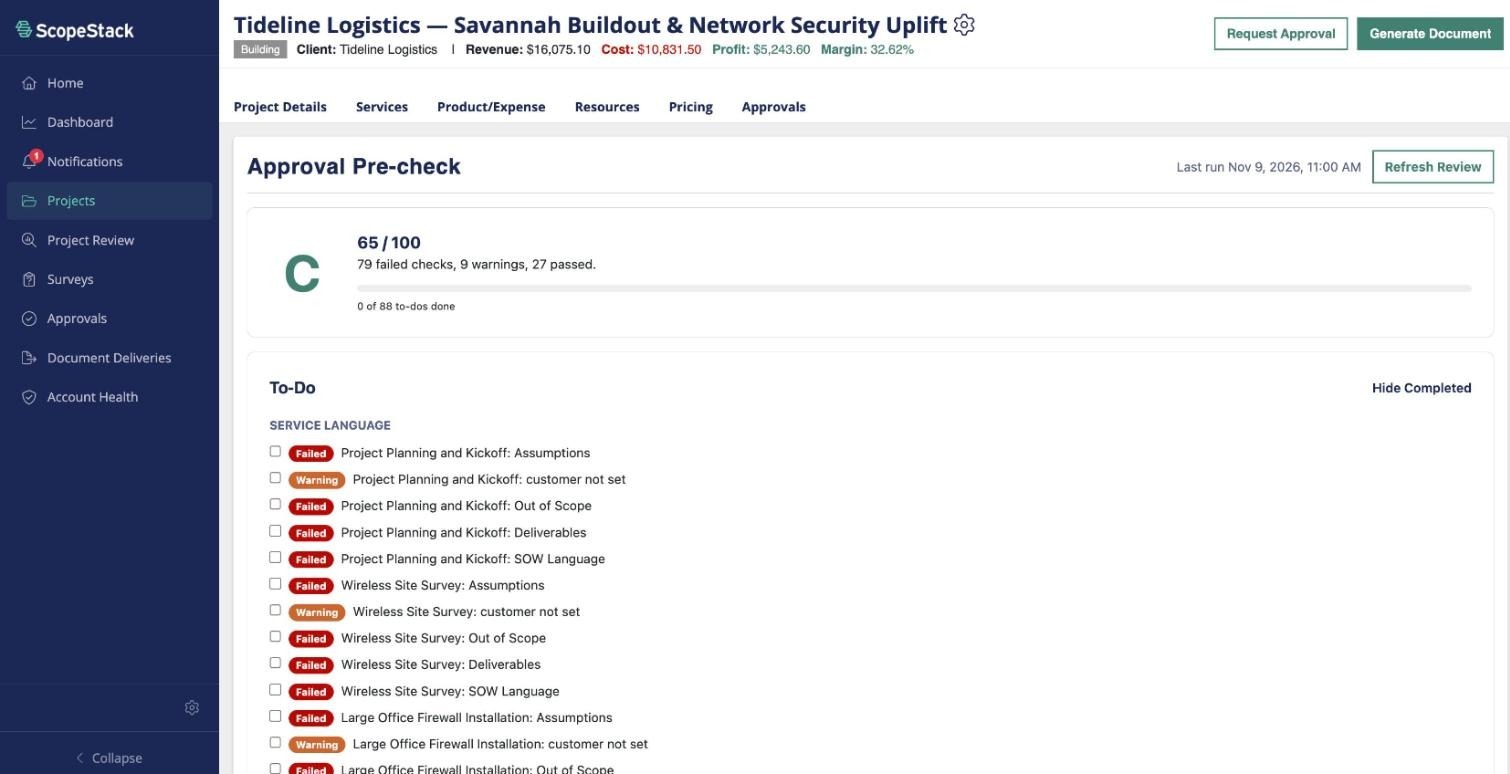
Approval pre‑check
Before you request approval, the pre-check finds leftover placeholder text, checks required service language, and grades the project.
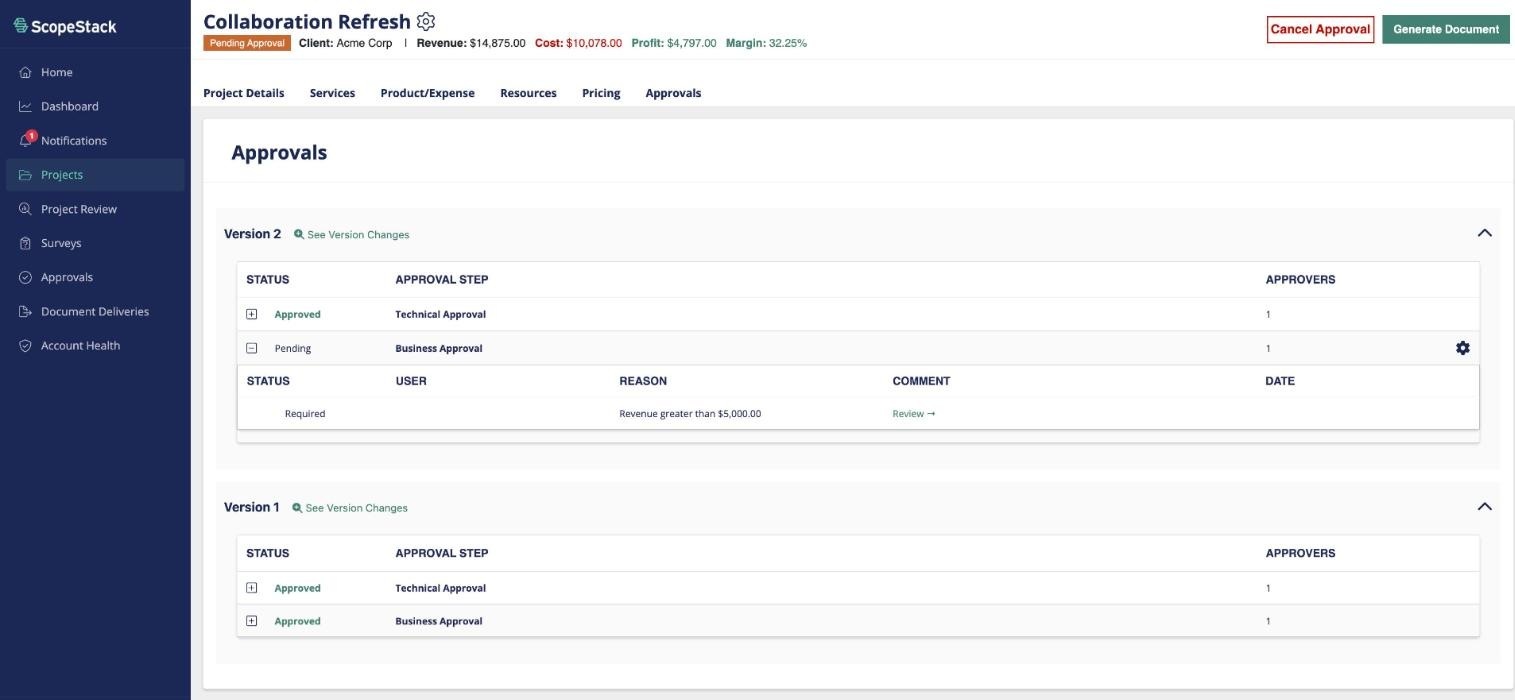
Sheet 08 / Project approval
Project approval
Approval steps follow your business rules, like a business approval when revenue is over $5,000.
Sheet 09 / Change requests
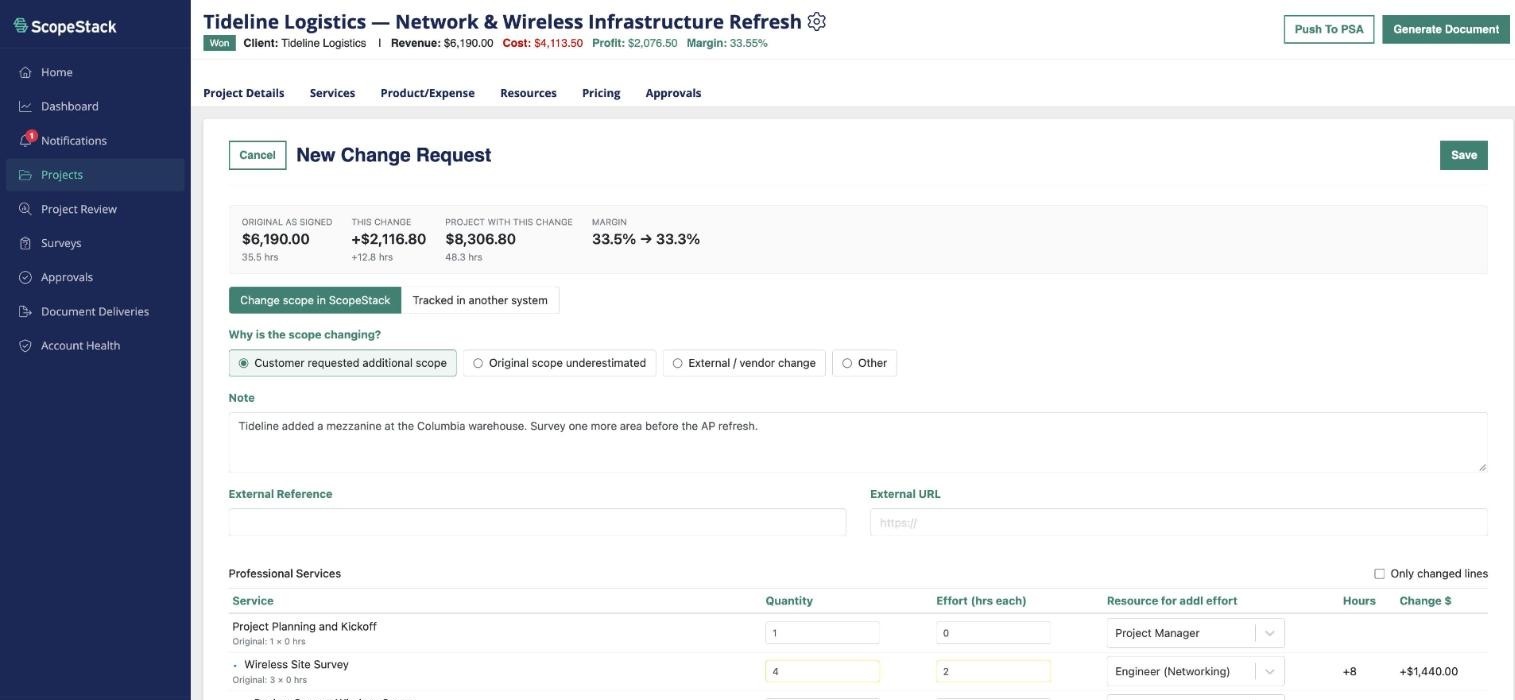
Change requests
Add scope to a signed project and see the new total and the margin shift before it's approved.
Sheet 10 / Closed loop
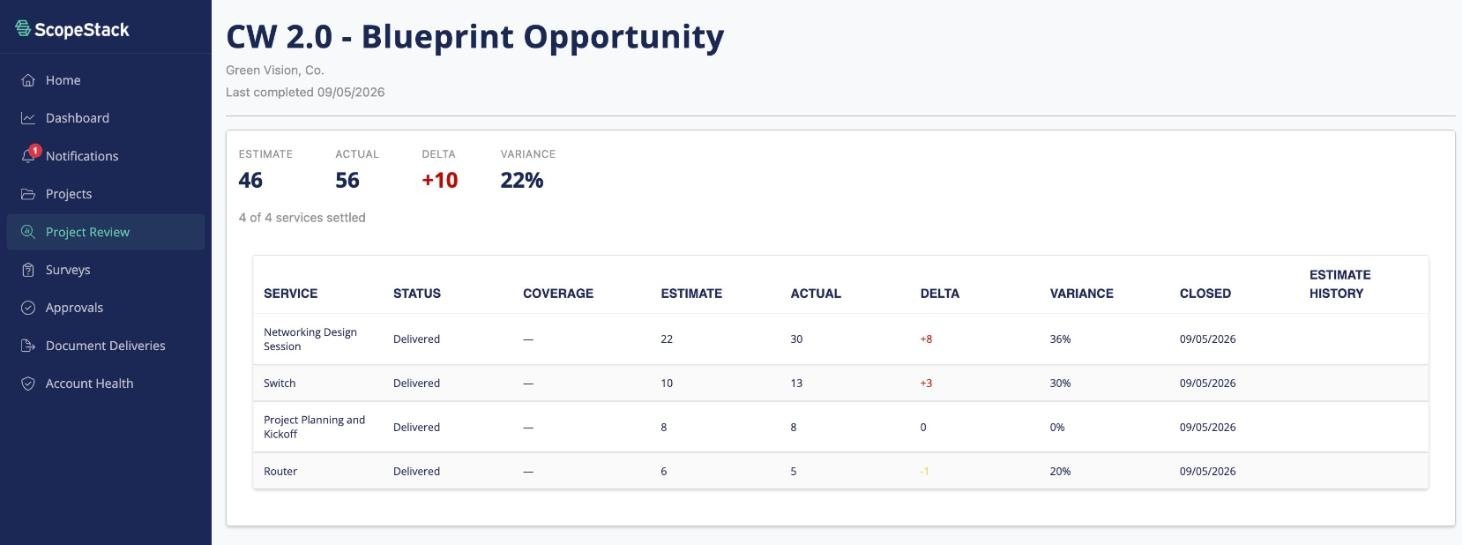
Scope to actuals
Compare what was scoped with how it was delivered, service by service, so every new scope gets more accurate.
Guided agentic scoping
Run every step from your AI agent
Everything on this page also runs through ScopeStack MCP, from Claude, Copilot and any MCP-enabled agent.
See how MCP worksIntegrations
Scope Once. Sync Everywhere.
CRM, PSA, and AI agents stay synced with ScopeStack, so every project and output is accurate in real time.
See all integrationsSheet 11
Build your next scope to scale
Sit down with a scoping expert and walk through a live SOW built around your own data.
Book a demo