Integrations / PSA & Ticketing / Kantata Integration
Integrate ScopeStack's CPQ with Kantata
When a scope is approved in ScopeStack, your Kantata project is already built. Phases, tasks, resource allocations, and budget — synced automatically, with nothing to re-key.
Does ScopeStack integrate with Kantata? Yes. ScopeStack connects to Kantata through the ScopeStack Integration Engine: it pulls client details into ScopeStack for scoping, then pushes the approved scope into Kantata as a workspace with budget, phases, services and resource roles.
Sheet 01 / What syncs
 Kantata
- Approved project as a workspace, with budgetInto Kantata
- Phases, services and subservicesInto Kantata
- Resource rolesInto Kantata

Connected by the ScopeStack Integration Engine
Sheet 02
Close the gap between what was sold and what gets delivered
ScopeStack handles pre-sales. Kantata handles delivery. Our Integration Engine connects them the moment a scope is approved.
- 01
Zero re-keying
Services, hours, phases, resource roles, and pricing flow directly from ScopeStack into Kantata. No copy-paste, no spreadsheet handoff, no data entry in between.
- 02
Delivery starts faster
Skip the 1–2 day project setup lag. When a scope is approved, your Kantata project is live with phases, tasks, and resource allocations already in place.
- 03
What's sold is what's delivered
Scope drift starts at handoff. When the Kantata project is built from the approved SOW, delivery has a single source of truth from day one.
Sheet 03
How it works
Three steps. Fully automated. Managed entirely by ScopeStack.
- 1
Build scope in ScopeStack
Define services, phases, resource roles, and pricing. Generate a professional SOW for client review — all within ScopeStack.
- 2
Scope is approved
Client signs. ScopeStack's Integration Engine triggers automatically — no manual action required from your team.
- 3
Kantata project is created
Phases, tasks, resource allocations, and budget land in Kantata — fully configured and ready for your PM to kick off.
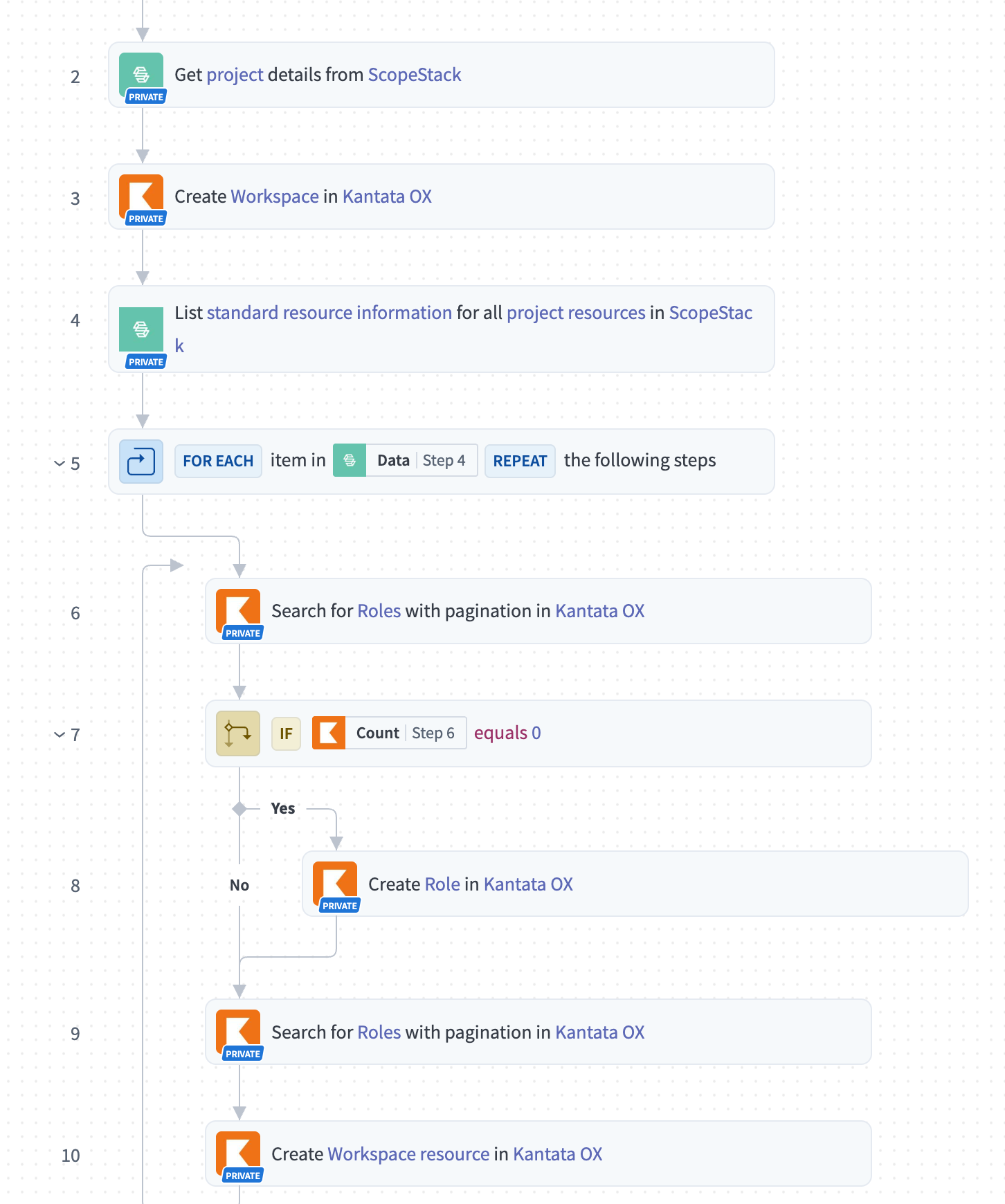
Steps 1–10 · Workspace & Roles
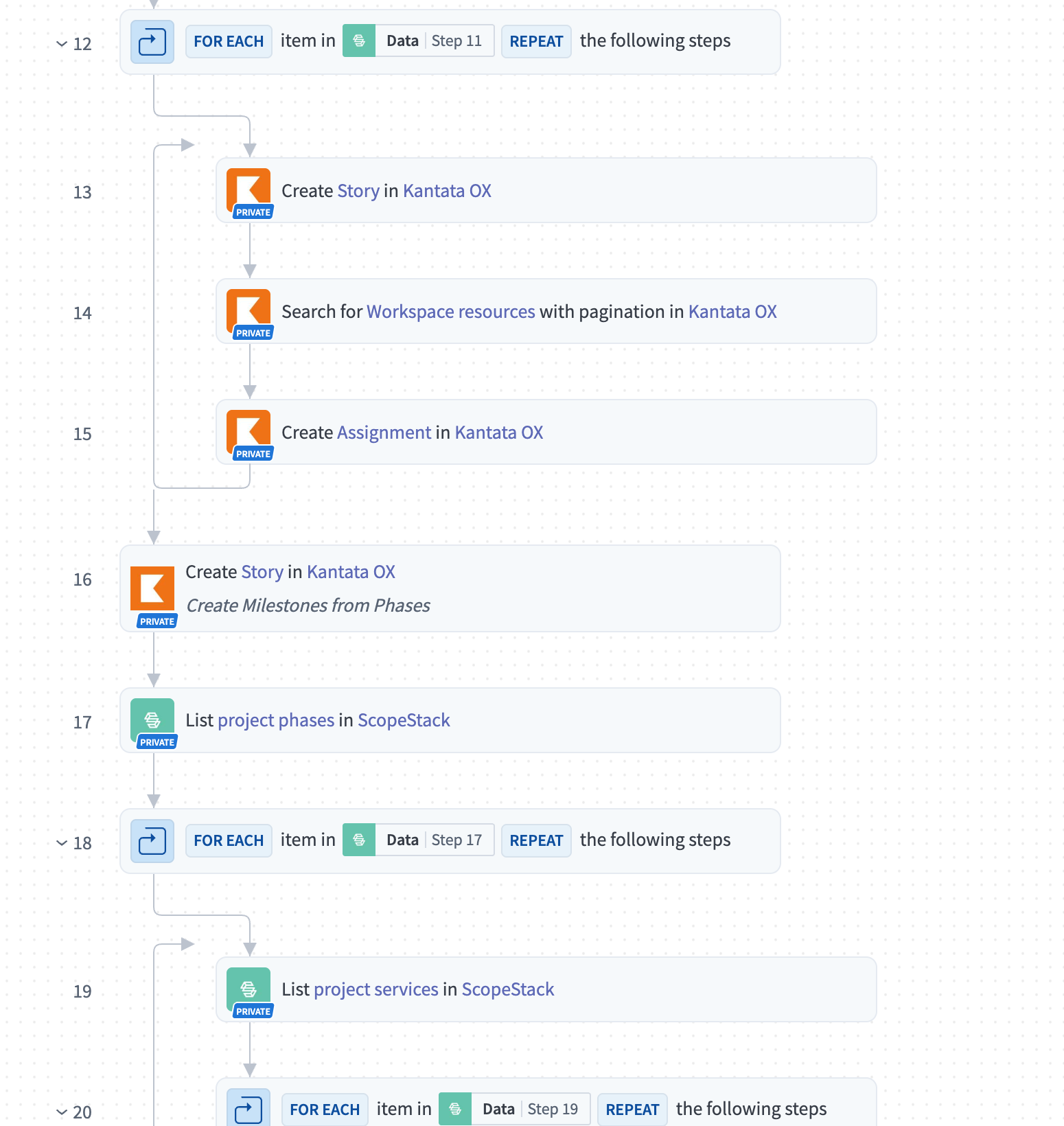
Steps 11–20 · Phases & Tasks
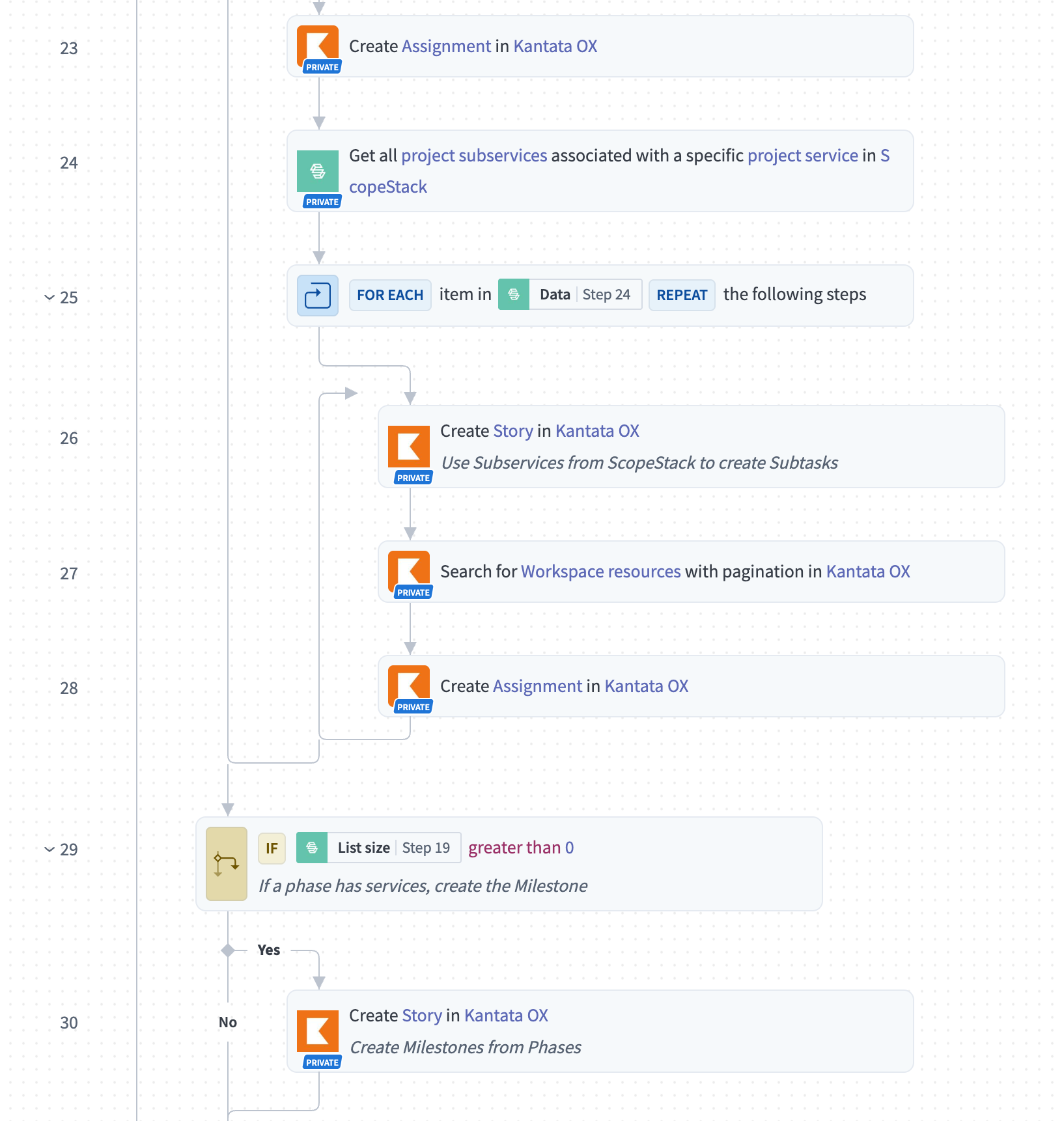
Steps 21–30 · Subtasks & Sync
Fully automated · Managed by ScopeStack · No IT setup required
Sheet 04
Eliminate the handoff gap between sales and delivery
When a deal closes, someone on your team opens Kantata and rebuilds what already exists in your SOW. Phases get approximated. Hours get adjusted. Details get lost. That gap — between what was scoped and what gets set up — is where margin leaks, timelines slip, and client expectations quietly misalign.
The ScopeStack + Kantata integration eliminates that gap. Your delivery team walks into a project that's already configured to match exactly what was sold.
- Automatic project creation on approval
- Phase and task mapping from approved scope
- Resource role assignments synced to Kantata
- Budget baseline matches what was sold
- Fully managed — no IT setup required
Sheet 05
The difference is immediate
Without the integration
- 1–2 days to manually set up a Kantata project after close
- Re-keying approved scope into PSA — hours lost per project
- Delivery team inherits an approximation, not the sold scope
- Scope drift begins the moment the project is created
With ScopeStack + Kantata
- Kantata project live within minutes of scope approval
- Zero duplicate data entry — Integration Engine handles it all
- Delivery team starts from the exact sold scope, every time
- Single source of truth from SOW to project completion
Sheet 06
Built for professional services teams on Kantata
If your team uses Kantata OX or Kantata mid-market and you're still manually setting up projects after deals close, this integration was built for you.
Consulting firms
Turn complex engagements into structured Kantata projects without manual interpretation
Agencies
Keep creative and delivery aligned on the same scope from the moment a project starts
Embedded software teams
Map technical scope directly to Kantata resource roles and phase structures
Managed service providers
Standardize project kickoffs across your entire service catalog
Sheet 07 / Questions
Kantata integration questions
What syncs between ScopeStack and Kantata?
The approved project goes into Kantata as a workspace with its budget, along with its phases, services, subservices and resource roles.
Which way does the data flow?
Both ways. ScopeStack pulls client details in for scoping, then pushes the approved scope out to Kantata.
Is the Kantata integration native?
It runs through the ScopeStack Integration Engine, which connects ScopeStack to Kantata and 1000+ other apps.
Sheet 08
Build your next scope to scale
Ready to connect your scoping workflow to Kantata?
See how ScopeStack's Integration Engine turns approved scopes into Kantata projects — automatically.
Sit down with a scoping expert and walk through a live SOW built around your own data.